|
数据搜索系统,热门电子元器件搜索 |
|
|
数据搜索系统,热门电子元器件搜索 |
|
FD-R41 数据表(PDF) 24 Page - List of Unclassifed Manufacturers |
|
|
|||||||||||||||||||||||||||||
FD-R41 数据表(HTML) 24 Page - List of Unclassifed Manufacturers |
|
|
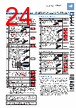
24 / 28 page  Digital Fiber Sensor FX-300 SERIES 162 Selection Guide Fibers Fiber Amplifiers FX-500 FX-100 FX-300 FX-410 FX-311 FX-301-F7/ FX-301-F FIBER SENSORS LASER SENSORS PHOTO- ELECTRIC SENSORS MICRO PHOTO- ELECTRIC SENSORS AREA SENSORS LIGHT CURTAINS / SAFETY COMPONENTS PRESSURE / FLOW SENSORS INDUCTIVE PROXIMITY SENSORS PARTICULAR USE SENSORS SENSOR OPTIONS SIMPLE WIRE-SAVING UNITS WIRE-SAVING SYSTEMS MEASURE- MENT SENSORS STATIC ELECTRICITY PREVENTION DEVICES LASER MARKERS PLC HUMAN MACHINE INTERFACES ENERGY CONSUMPTION VISUALIZATION COMPONENTS FA COMPONENTS MACHINE VISION SYSTEMS UV CURING SYSTEMS PRECAUTIONS FOR PROPER USE • This is the method of setting the threshold value by teaching only the object absent condition (stable incident light condition). This is used for detection in the presence of a background body or for detection of small objects. Step Description Display Set the fiber within the sensing range. Press MODE key to light up MODE indicator / TEACH (yellow). For FX-305(P), select either Output 1 “ ” or Output 2 “ ” beforehand, press jog switch in the object absent condition. If the teaching is accepted, the read incident light intensity blinks in the display. Thru-beam type Reflective type Beam incident condition Background body MODE indicator / TEACH (yellow) blinks. Turn jog switch to the “+” side or “–” side. If jog switch is turned to the “+” side, “ ” scrolls (twice) the display from right to left (Note 1), and the threshold level is shifted to a value approx. 15 % higher (lower sensitivity) than that set at . (Note 2) This is used in case of reflective type fibers. If jog switch is turned to the “–” side, “ ” scrolls (twice) the display from left to right, and the threshold level is shifted to a value approx. 15 % lower (higher sensitivity) than that set at . (Note 2) This is used in case of thru-beam type fibers. After this, the judgment on whether the setting shift amount can be shifted or not is displayed. • In case shifting is possible: “ ” blinks. • In case shifting is not possible: “ ” blinks. The threshold value is displayed. “ ” blinks in the digital display. (only FX-301B/G/H) The incident light intensity appears in the digital display and the setting is complete. Notes: 1) Scrolling display is not available in FX-301B/G/H. 2) The approx. 15 % amount of shift is the initial value. The amount of shift can be changed in the PRO mode from approx. 5 to 80 % (5 % step). Refer to the “PRO Mode Operation Guide” for more details pertaining to setting instructions. 3) Do not move or bend the fiber cable after the sensitivity setting. Detection may become unstable. Step Description Display Press MODE key to light up MODE indicator / ADJ (yellow). – For FX-305(P), select either Output 1 “ ” or Output 2 “ ” beforehand, in case the threshold value is to be increased (sensitivity to be reduced), turn the jog switch to the “+” side to increase the threshold value slowly. If the jog switch is turned continuously to the “+” side, the threshold value increases rapidly. In case the threshold value is to be decreased (sensitivity to be increased), turn the jog switch to the “–” side to decrease the threshold value slowly. If the jog switch is turned continuously to the “–” side, the threshold value decreases rapidly. or When jog switch is pressed, the threshold value is confirmed. – Output operation setting Threshold value fine adjustment Step Description Display Press MODE key to light up MODE indicator / L/D ON (yellow). Displays present setting For FX-305(P), select either Output 1 “ ” or Output 2 “ ” beforehand, if the jog switch is turn to the “+” or “–” direction, the output operation setting will change. Light state Dark state When jog switch is pressed, the threshold value is confirmed. Displays selected setting Timer operation setting • The setting for whether the timer is used or not can be done when MODE indicator / TIMER (yellow) lights up. For FX-301B/G/H, the timer type can be set in PRO mode. • Further, an OFF-delay (initial value) which is useful when the response of the connected device is slow, etc., an ON-delay which is useful to detect only objects taking a long time to travel, and ONE SHOT, which is useful when the input specifications of the connected device require a signal of a fixed width, are possible with the FX-301□(-HS). FX-305(P) is also equipped with ON-delay • OFF-delay and ON-delay • ONE SHOT timers. Refer to the “PRO Mode Operation Guide” for the setting method of the OFF-delay, ON-delay and ONE SHOT timer intervals. Incident light intensity with object absent Threshold value Threshold value 15 % 15 % ON OFF High Low 100 % Turn to “+” side Turn to “–” side OFF ON 0 In case of limit teaching For the wind comparator mode teaching in FX-305(P), refer to the separately prepared “PRO Mode Operation Guide”. Please download the instruction manual from our website for setting of threshold value when used in combination with liquid level sensing fiber FD-F8Y and with pipe-mountable liquid level sensing fiber FD-F4□. Refer to p.1458~ for general precautions and to the “PRO mode operation guide” on our website for details pertaining to operating instructions for the amplifier. |
|
|
链接网址 |
| ALLDATASHEET是否为您带来帮助? [ DONATE ] |
关于 Alldatasheet | 广告服务 | 联系我们 | 隐私政策 | 数据表链接 | 链接交换 | 制造商名单 All Rights Reserved©Alldatasheet.com |
| Russian : Alldatasheetru.com | Korean : Alldatasheet.co.kr | Spanish : Alldatasheet.es | French : Alldatasheet.fr | Italian : Alldatasheetit.com Portuguese : Alldatasheetpt.com | Polish : Alldatasheet.pl | Vietnamese : Alldatasheet.vn Indian : Alldatasheet.in | Mexican : Alldatasheet.com.mx | British : Alldatasheet.co.uk | New Zealand : Alldatasheet.co.nz |
|
Family Site : ic2ic.com |
icmetro.com |
 Chinese ▼
 English
 Chinese
 German
 Japanese
 Russian
 Korean
 Spanish
 French
 Italian
 Portuguese
 Polish
 Vietnamese
 Indian
 Mexican
 British
 New Zealand