|
数据搜索系统,热门电子元器件搜索 |
|
|
数据搜索系统,热门电子元器件搜索 |
|
E32-R21 数据表(PDF) 21 Page - Omron Electronics LLC |
|
|
|||||||||||||||||||||||||||||
E32-R21 数据表(HTML) 21 Page - Omron Electronics LLC |
|
|
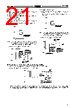
21 / 38 page  E3X-NH E3X-NH 21 Positioning/No-object Teaching • Ideal if it is impossible to perform teaching with the sensing object stationary in the sensing area. • Ideal for high-precision positioning. • Ideal for teaching with only background objects for the detection of bright or dark objects. Reflective (Light-ON) Fiber Unit 1. Press the SET button without sensing object in the sensing area. Tentatively set the threshold to the value that is ±6% of the in- cident level. 6% Incident level without background object or sensing object. 6% Large Small Light Threshold Threshold Note: If the incident is low at the time of teaching and the threshold cannot be set to the position corresponding to -6% of the incident level, the sensitivity will be set to maximum auto- matically when the E3X-NH is in RUN mode. 2. Detecting the first object in RUN/ADJ mode. Tuning range 6% 18% 18% Incident level indicator Threshold indicator Large Small Light Threshold Sensing object The Photoelec- tric Sensor works in reflec- tive operation because the in- cident in- creases. The number of lit indicators of the inci- dent level indicators depends on the inci- dent. The threshold is set to 7. Through-beam (Dark-ON) Fiber Unit 1. Press the SET button without sensing object in the sensing area. Tentatively set the threshold to the value that is ±6% of the in- cident level. 6% 6% Large Small Light Threshold Threshold Incident level without background object or sensing object. Note: If the incident is low at the time of teaching and the threshold cannot be set to the position corresponding to -6% of the incident level, the sensitivity will be set to maximum auto- matically when the E3X-NH is in RUN mode. 2. Detecting the first object in RUN/ADJ mode. 6% 18% 18% Large Small Light Threshold Incident level indicator Threshold indicator Sensing object The Photoelectric Sensor works in through-beam operation because the inci- dent decreases. The number of lit indicators of the inci- dent level indicators depends on the inci- dent. The threshold is set to 7. Tuning range Threshold vs. Indicators after Auto-tuning Setting 1. Set the initial threshold by performing positioning/no-object teaching in TEACH mode. 2. Press the SET button for three seconds minimum in ADJ mode. Initial threshold for auto-tuning Tuning range 18% 18% Incident level indicator Threshold indicator Large Small Light Threshold The number of lit indicators of the incident level indicators depends on the incident. The threshold is set to 7. Taking into consideration the vibration of the sensing objects on the in-line operation, sample the incident with the first five sensing ob- jects after setting the threshold and set the threshold again to the middle value between the highest and lowest incident values obtained with the sensing objects. The E3X-NH will then perform auto-tuning within a range of ±18% of this value. |
|
链接网址 |
| ALLDATASHEET是否为您带来帮助? [ DONATE ] |
关于 Alldatasheet | 广告服务 | 联系我们 | 隐私政策 | 数据表链接 | 链接交换 | 制造商名单 All Rights Reserved©Alldatasheet.com |
| Russian : Alldatasheetru.com | Korean : Alldatasheet.co.kr | Spanish : Alldatasheet.es | French : Alldatasheet.fr | Italian : Alldatasheetit.com Portuguese : Alldatasheetpt.com | Polish : Alldatasheet.pl | Vietnamese : Alldatasheet.vn Indian : Alldatasheet.in | Mexican : Alldatasheet.com.mx | British : Alldatasheet.co.uk | New Zealand : Alldatasheet.co.nz |
|
Family Site : ic2ic.com |
icmetro.com |
 Chinese ▼
 English
 Chinese
 German
 Japanese
 Russian
 Korean
 Spanish
 French
 Italian
 Portuguese
 Polish
 Vietnamese
 Indian
 Mexican
 British
 New Zealand