|
数据搜索系统,热门电子元器件搜索 |
|
|
数据搜索系统,热门电子元器件搜索 |
|
E39-R1 数据表(PDF) 17 Page - Omron Electronics LLC |
|
|
|||||||||||||||||||||||||||||
E39-R1 数据表(HTML) 17 Page - Omron Electronics LLC |
|
|
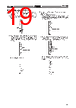
17 / 38 page  E3X-NH E3X-NH 17 Sensitivity Setting (Teaching) Note: The sensitivity of the E3X-NH/NHB is factory-set to maximum. When resetting the sensitivity of the E3X-NH to maximum after with/ without-object teaching or positioning/no-object teaching, follow the steps described below. 1. Maximum Sensitivity Setting 1. Set the mode selector to TEACH. Press the SET button for three seconds minimum. Be sure that all the threshold indicators (red) are ON. The built-in buzzer beeps once when the threshold indicators are ON. Press for 3 s min. 2. The sensitivity will be set when the built-in buzzer beeps continuously and all the incident level indicators (green) are ON. 3. Set the mode selector to RUN. Be sure that only the bottom threshold indicator is ON. 2. With/Without-object Teaching 1. Set the mode selector to TEACH. Locate the sensing object in the sensing area and press the SET button once. Be sure that all the threshold indicators (red) are ON. The built-in buzzer beeps once when the threshold indicators are ON. Press once for 0.5 to 2.5 s Through-beam Model Reflective Model Reflective Model Light is in- terrupted. Mark Base 2. Move the object and press the SET button. If teaching is OK: All the incident level indicators (green) are ON. The built-in buzzer beeps once. Press once for 0.5 to 2.5 s |
|
链接网址 |
| ALLDATASHEET是否为您带来帮助? [ DONATE ] |
关于 Alldatasheet | 广告服务 | 联系我们 | 隐私政策 | 数据表链接 | 链接交换 | 制造商名单 All Rights Reserved©Alldatasheet.com |
| Russian : Alldatasheetru.com | Korean : Alldatasheet.co.kr | Spanish : Alldatasheet.es | French : Alldatasheet.fr | Italian : Alldatasheetit.com Portuguese : Alldatasheetpt.com | Polish : Alldatasheet.pl | Vietnamese : Alldatasheet.vn Indian : Alldatasheet.in | Mexican : Alldatasheet.com.mx | British : Alldatasheet.co.uk | New Zealand : Alldatasheet.co.nz |
|
Family Site : ic2ic.com |
icmetro.com |
 Chinese ▼
 English
 Chinese
 German
 Japanese
 Russian
 Korean
 Spanish
 French
 Italian
 Portuguese
 Polish
 Vietnamese
 Indian
 Mexican
 British
 New Zealand