|
数据搜索系统,热门电子元器件搜索 |
|
|
数据搜索系统,热门电子元器件搜索 |
|
H8SX/1663 数据表(PDF) 765 Page - Renesas Technology Corp |
|
|
|||||||||||||||||||||||||||||
H8SX/1663 数据表(HTML) 765 Page - Renesas Technology Corp |
|
|
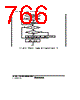
765 / 1158 page  Section 15 Serial Communication Interface (SCI, IrDA, CRC) Rev.1.00 Jun. 07, 2006 Page 713 of 1102 REJ09B0294-0100 Yes <End> [1] No Initialization Start reception No Yes [4] Clear RE bit in SCR to 0 Error processing (Continued on next page) [5] No Yes FER ∨ ORER = 1 RDRF = 1 All data received? Set MPIE bit in SCR to 1 [2] Read ORER and FER flags in SSR Read RDRF flag in SSR [3] Read receive data in RDR No Yes This station’s ID? Read ORER and FER flags in SSR Yes No Read RDRF flag in SSR No Yes FER ∨ ORER = 1 Read receive data in RDR RDRF = 1 [1] SCI initialization: The RxD pin is automatically designated as the receive data input pin. [2] ID reception cycle: Set the MPIE bit in SCR to 1. [3] SCI state check, ID reception and comparison: Read SSR and check that the RDRF flag is set to 1, then read the receive data in RDR and compare it with this station’s ID. If the data is not this station’s ID, set the MPIE bit to 1 again, and clear the RDRF flag to 0. If the data is this station’s ID, clear the RDRF flag to 0. [4] SCI state check and data reception: Read SSR and check that the RDRF flag is set to 1, then read the data in RDR. [5] Receive error processing and break detection: If a receive error occurs, read the ORER and FER flags in SSR to identify the error. After performing the appropriate error processing, ensure that the ORER and FER flags are both cleared to 0. Reception cannot be resumed if either of these flags is set to 1. In the case of a framing error, a break can be detected by reading the RxD pin value. Figure 15.16 Sample Multiprocessor Serial Reception Flowchart (1) |
|
链接网址 |
| ALLDATASHEET是否为您带来帮助? [ DONATE ] |
关于 Alldatasheet | 广告服务 | 联系我们 | 隐私政策 | 数据表链接 | 链接交换 | 制造商名单 All Rights Reserved©Alldatasheet.com |
| Russian : Alldatasheetru.com | Korean : Alldatasheet.co.kr | Spanish : Alldatasheet.es | French : Alldatasheet.fr | Italian : Alldatasheetit.com Portuguese : Alldatasheetpt.com | Polish : Alldatasheet.pl | Vietnamese : Alldatasheet.vn Indian : Alldatasheet.in | Mexican : Alldatasheet.com.mx | British : Alldatasheet.co.uk | New Zealand : Alldatasheet.co.nz |
|
Family Site : ic2ic.com |
icmetro.com |
 Chinese ▼
 English
 Chinese
 German
 Japanese
 Russian
 Korean
 Spanish
 French
 Italian
 Portuguese
 Polish
 Vietnamese
 Indian
 Mexican
 British
 New Zealand