|
数据搜索系统,热门电子元器件搜索 |
|
|
数据搜索系统,热门电子元器件搜索 |
|
TCN75-3.3MPA 数据表(PDF) 4 Page - TelCom Semiconductor, Inc |
|
|
|||||||||||||||||||||||||||||
TCN75-3.3MPA 数据表(HTML) 4 Page - TelCom Semiconductor, Inc |
|
|
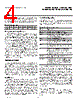
4 / 10 page  4 2-WIRE SERIAL TEMPERATURE SENSOR AND THERMAL MONITOR TCN75 PRELIMINARY INFORMATION TCN75-04 6/16/97 A0 in the serial bit stream must match the states of the A2, A1 and A0 address inputs for the TCN75 to respond with an Acknowledge (indicating the TCN75 is on the bus and ready to accept data). The Slave Address is represented by: TCN75 Slave Address 1001 A2 A1 A0 MSB LSB Comparator/Interrupt Modes INT/CMPTR behaves differently depending on whether the TCN75 is in Comparator Mode or Interrupt Mode. Comparator Mode is designed for simple thermostatic op- eration. INT/CMPTR will go active anytime TEMP exceeds TSET. When in Comparator Mode, INT/CMPTR will remain active until TEMP falls below THYST, whereupon it will reset to its inactive state. The state of INT/CMPTR is maintained in shutdown mode when the TCN75 is in comparator mode. In Interrupt Mode, INT/CMPTR will remain active indefi- nitely, even if TEMP falls below THYST, until any register is read via the 2-wire bus. Interrupt Mode is better suited to interrupt driven microprocessor-based systems. The INT/ CMPTR output may be wire-OR'ed with other interrupt sources in such systems. Note that a pull-up resistor is necessary on this pin since it is an open-drain output. Entering Shutdown Mode will unconditionally reset INT/ CMPTR when in Interrupt Mode. SHUTDOWN MODE When the appropriate bit is set in the configuration register (CONFIG) the TCN75 enters its low-power shut- down mode (IDD = 1µA, typical) and the temperature-to- digital conversion process is halted. The TCN75's bus interface remains active and TEMP, TSET, and THYST may be read from and written to. Transitions on SDA or SCL due to external bus activity may increase the standby power con- sumption. If the TCN75 is in Interrupt Mode, the state of INT/ CMPTR will be RESET upon entering shutdown mode. Fault Queue To lessen the probability of spurious activation of INT/ CMPTR the TCN75 may be programmed to filter out tran- sient events. This is done by programming the desired value into the Fault Queue. Logic inside the TCN75 will prevent the device from triggering INT/CMPTR unless the programmed number of sequential temperature-to-digital conversions yield the same qualitative result. In other words, the value reported in TEMP must remain above TSET or below THYST for the consecutive number of cycles programmed in the Fault Queue. Up to a six-cycle "filter" may be selected. See Register Set and Programmer's Model. Serial Port Operation The Serial Clock input (SCL) and bidirectional data port (SDA) form a 2-wire bidirectional serial port for programming and interrogating the TCN75. The following conventions are used in this bus scheme: TCN75 Serial Bus Conventions Term Explanation Transmitter The device sending data to the bus. Receiver The device receiving data from the bus. Master The device which controls the bus: initiating transfers (START), generating the clock, and terminating transfers (STOP). Slave The device addressed by the master. Start A unique condition signaling the beginning of a transfer indicated by SDA falling (High-Low) while SCL is high. Stop A unique condition signaling the end of a transfer indicated by SDA rising (Low - High) while SCL is high. ACK A Receiver acknowledges the receipt of each byte with this unique condition. The Receiver drives SDA low during SCL high of the ACK clock-pulse. The Master provides the clock pulse for the ACK cycle. NOT Busy When the bus is idle, both SDA & SCL will remain high. Data Valid The state of SDA must remain stable during the High period of SCL in order for a data bit to be considered valid. SDA only changes state while SCL is low during normal data transfers. (See Start and Stop conditions) All transfers take place under control of a host, usually a CPU or microcontroller, acting as the Master, which provides the clock signal for all transfers. The TCN75 always operates as a Slave. This serial protocol is illustrated in Figure 2. All data transfers have two phases; and all bytes are transferred MSB first. Accesses are initiated by a start condition (START), followed by a device address byte and one or more data bytes. The device address byte includes a Read/Write selection bit. Each access must be terminated by a Stop Condition (STOP). A convention called Acknowl- edge (ACK) confirms receipt of each byte. Note that SDA can change only during periods when SCL is LOW (SDA changes while SCL is HIGH are reserved for Start and Stop Conditions). Start Condition (START) The TCN75 continuously monitors the SDA and SCL lines for a start condition (a HIGH to LOW transition of SDA while SCL is HIGH), and will not respond until this condition is met. |
|
|
链接网址 |
| ALLDATASHEET是否为您带来帮助? [ DONATE ] |
关于 Alldatasheet | 广告服务 | 联系我们 | 隐私政策 | 数据表链接 | 链接交换 | 制造商名单 All Rights Reserved©Alldatasheet.com |
| Russian : Alldatasheetru.com | Korean : Alldatasheet.co.kr | Spanish : Alldatasheet.es | French : Alldatasheet.fr | Italian : Alldatasheetit.com Portuguese : Alldatasheetpt.com | Polish : Alldatasheet.pl | Vietnamese : Alldatasheet.vn Indian : Alldatasheet.in | Mexican : Alldatasheet.com.mx | British : Alldatasheet.co.uk | New Zealand : Alldatasheet.co.nz |
|
Family Site : ic2ic.com |
icmetro.com |
 Chinese ▼
 English
 Chinese
 German
 Japanese
 Russian
 Korean
 Spanish
 French
 Italian
 Portuguese
 Polish
 Vietnamese
 Indian
 Mexican
 British
 New Zealand