|
数据搜索系统,热门电子元器件搜索 |
|
|
数据搜索系统,热门电子元器件搜索 |
|
ADP8860ACBZ-R7 数据表(PDF) 18 Page - Analog Devices |
|
|
|||||||||||||||||||||||||||||
ADP8860ACBZ-R7 数据表(HTML) 18 Page - Analog Devices |
|
|
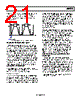
18 / 52 page  ADP8860 Rev. 0 | Page 18 of 52 The backlight turns on when BL_EN = 1. The backlight turns off when BL_EN = 0. MAX BACKLIGHT CURRENT BL_EN = 1 BL_EN = 0 Figure 32. Backlight Turn On/Off While the backlight is on (BL_EN = 1), the user can change to the dim setting by programming DIM_EN = 1 in Register 0x01. If DIM_EN = 0, the backlight reverts to its maximum setting. MAX DIM BACKLIGHT CURRENT BL_EN = 1 DIM_EN = 1 DIM_EN = 0 BL_EN = 0 Figure 33. Backlight Turn On/Dim/Turn Off The maximum and dim settings can be set between 0 mA and 30 mA; therefore, it is possible to program a dim setting that is greater than a maximum setting. For normal expected opera- tion, ensure that the dim setting is programmed to be less than the maximum setting. AUTOMATIC DIM AND TURN OFF TIMERS The user can program the backlight to dim automatically by using the DIMT timer in Register 0x07. The dim timer has 127 settings ranging from 1 sec to 127 sec. Program the dim timer (DIMT) before turning on the backlight. If BL_EN = 1, the backlight turns on to its maximum setting and the dim timer starts counting. When the dim timer expires, the internal state machine sets DIM_EN = 1, and the backlight enters its dim setting. MAX DIM BL_EN = 1 BL_EN = 0 DIM_EN = 1 DIM_EN = 0 DIM_EN = 1 BACKLIGHT CURRENT DIM TIMER RUNNING DIM TIMER RUNNING SET BY USER SET BY INTERNAL STATEMACHINE Figure 34. Dim Timer If the user clears the DIM_EN bit, the backlight reverts to its maximum setting and the dim timer begins counting again. When the dim timer expires, the internal state machine again sets DIM_EN = 1, and the backlight enters its dim setting. The backlight can be turned off at any point during the dim timer countdown by clearing BL_EN. The user can also program the backlight to turn off automati- cally by using the OFFT timer in Register 0x06. The off timer has 127 settings ranging from 1 sec to 127 sec. Program the off timer (OFFT) before turning on the backlight. If BL_EN = 1, the backlight turns on to its maximum setting and the off timer starts counting. When the off timer expires, the internal state machine clears the BL_EN bit, and the backlight turns off. MAX BL_EN = 1 BL_EN = 0 BACKLIGHT CURRENT OFF TIMER RUNNING SET BY USER SET BY INTERNAL STATE MACHINE Figure 35. Off Timer The backlight can be turned off at any point during the off timer countdown by clearing BL_EN. The dim timer and off timer can be used together for sequential maximum-to-dim-to-off functionality. With both the dim and off timers programmed, if BL_EN is asserted, the backlight turns on to its maximum setting, and when the dim timer expires, the backlight changes to its dim setting. When the off timer expires, the backlight turns off. |
|
链接网址 |
| ALLDATASHEET是否为您带来帮助? [ DONATE ] |
关于 Alldatasheet | 广告服务 | 联系我们 | 隐私政策 | 数据表链接 | 链接交换 | 制造商名单 All Rights Reserved©Alldatasheet.com |
| Russian : Alldatasheetru.com | Korean : Alldatasheet.co.kr | Spanish : Alldatasheet.es | French : Alldatasheet.fr | Italian : Alldatasheetit.com Portuguese : Alldatasheetpt.com | Polish : Alldatasheet.pl | Vietnamese : Alldatasheet.vn Indian : Alldatasheet.in | Mexican : Alldatasheet.com.mx | British : Alldatasheet.co.uk | New Zealand : Alldatasheet.co.nz |
|
Family Site : ic2ic.com |
icmetro.com |
 Chinese ▼
 English
 Chinese
 German
 Japanese
 Russian
 Korean
 Spanish
 French
 Italian
 Portuguese
 Polish
 Vietnamese
 Indian
 Mexican
 British
 New Zealand