|
数据搜索系统,热门电子元器件搜索 |
|
|
数据搜索系统,热门电子元器件搜索 |
|
M24LR64-RMB6T2 数据表(PDF) 81 Page - STMicroelectronics |
|
|
|||||||||||||||||||||||||||||
M24LR64-RMB6T2 数据表(HTML) 81 Page - STMicroelectronics |
|
|
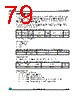
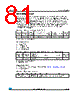
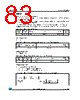
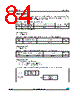
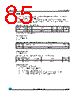
81 / 128 page  M24LR64-R Commands codes Doc ID 15170 Rev 10 81/128 26.5 Read Multiple Block When receiving the Read Multiple Block command, the M24LR64-R reads the selected blocks and sends back their value in multiples of 32 bits in the response. The blocks are numbered from '00h to '7FFh' in the request and the value is minus one (–1) in the field. For example, if the “number of blocks” field contains the value 06h, 7 blocks are read. The maximum number of blocks is fixed at 32 assuming that they are all located in the same sector. If the number of blocks overlaps sectors, the M24LR64-R returns an error code. The Protocol_extention_flag should be set to 1 for the M24LR64-R to operate correctly. If the Protocol_extention_flag is at 0, the M24LR64-R answers with an error code. The Option_flag is supported. Request parameters: ● Option_flag ● UID (optional) ● First block number ● Number of blocks Response parameters: ● Sector security status if Option_flag is set (see Table 46: Sector security status) ● N blocks of data Table 44. Read Multiple Block request format Request SOF Request_ flags Read Multiple Block UID(1) 1. Gray means that the field is optional. First block number Number of blocks CRC16 Request EOF 8 bits 23h 64 bits 16 bits 8 bits 16 bits Table 45. Read Multiple Block response format when Error_flag is NOT set Response SOF Response_ flags Sector security status(1) 1. Gray means that the field is optional. Data CRC16 Response EOF 8 bits 8 bits(2) 2. Repeated as needed. 32 bits(2) 16 bits Table 46. Sector security status b7 b6 b5 b4 b3 b2 b1 b0 Reserved for future use. All at 0 password control bits Read / Write protection bits 0: Current sector not locked 1: Current sector locked |
|
链接网址 |
| ALLDATASHEET是否为您带来帮助? [ DONATE ] |
关于 Alldatasheet | 广告服务 | 联系我们 | 隐私政策 | 数据表链接 | 链接交换 | 制造商名单 All Rights Reserved©Alldatasheet.com |
| Russian : Alldatasheetru.com | Korean : Alldatasheet.co.kr | Spanish : Alldatasheet.es | French : Alldatasheet.fr | Italian : Alldatasheetit.com Portuguese : Alldatasheetpt.com | Polish : Alldatasheet.pl | Vietnamese : Alldatasheet.vn Indian : Alldatasheet.in | Mexican : Alldatasheet.com.mx | British : Alldatasheet.co.uk | New Zealand : Alldatasheet.co.nz |
|
Family Site : ic2ic.com |
icmetro.com |
 Chinese ▼
 English
 Chinese
 German
 Japanese
 Russian
 Korean
 Spanish
 French
 Italian
 Portuguese
 Polish
 Vietnamese
 Indian
 Mexican
 British
 New Zealand