|
数据搜索系统,热门电子元器件搜索 |
|
|
数据搜索系统,热门电子元器件搜索 |
|
F-RF-R 数据表(PDF) 6 Page - THOR communications |
|
|
|||||||||||||||||||||||||||||
F-RF-R 数据表(HTML) 6 Page - THOR communications |
|
|
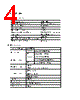
6 / 8 page  (3) The LED blinks green (for internal test purpose indicator ) (4) IP setting (Only for the units with the IP option ) Rear panel: (1) Optical Connector Input - SC /APC (2)RF Output Port 1 and Output Port 2: F type socket, Return RF Output Port. Two output ports are independent, see the Max RF Lever in the chart. Important: Any output should be connected with the 75 Ω load when it was not in use, or it would interrupt the performance of the other output ports. (3)Power Connector -110VAC 50Hz: AC Input power socket. 6. OPERATION Install the F-RF-RXR into the CATV network according steps below. Fiber connection Turn off the power and take down the bolt in Fiber Input Port and perform the following steps: 1. Carefully remove the protective cap from the SC/APC connector. 2. Test the input optical power with an Optical Test Meter 3. Be sure that the optical input power is less than 2mW (+3dBm), or it would cause the damage of the Optical Receiving Module or Pin Diode. 1 2 3 1 2 3 4 |
|
|
链接网址 |
| ALLDATASHEET是否为您带来帮助? [ DONATE ] |
关于 Alldatasheet | 广告服务 | 联系我们 | 隐私政策 | 数据表链接 | 链接交换 | 制造商名单 All Rights Reserved©Alldatasheet.com |
| Russian : Alldatasheetru.com | Korean : Alldatasheet.co.kr | Spanish : Alldatasheet.es | French : Alldatasheet.fr | Italian : Alldatasheetit.com Portuguese : Alldatasheetpt.com | Polish : Alldatasheet.pl | Vietnamese : Alldatasheet.vn Indian : Alldatasheet.in | Mexican : Alldatasheet.com.mx | British : Alldatasheet.co.uk | New Zealand : Alldatasheet.co.nz |
|
Family Site : ic2ic.com |
icmetro.com |
 Chinese ▼
 English
 Chinese
 German
 Japanese
 Russian
 Korean
 Spanish
 French
 Italian
 Portuguese
 Polish
 Vietnamese
 Indian
 Mexican
 British
 New Zealand