|
数据搜索系统,热门电子元器件搜索 |
|
|
数据搜索系统,热门电子元器件搜索 |
|
M24LR64-R-MN6T/2 数据表(PDF) 98 Page - STMicroelectronics |
|
|
|||||||||||||||||||||||||||||
M24LR64-R-MN6T/2 数据表(HTML) 98 Page - STMicroelectronics |
|
|
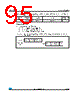
98 / 126 page  Commands codes M24LR64-R 98/126 Doc ID 15170 Rev 8 26.15 Lock-sector Password On receiving the Lock-sector Password command, the M24LR64-R sets the access rights and permanently locks the selected sector. The Option_flag is supported. A sector is selected by giving the address of one of its blocks in the Lock-sector Password request (Sector number field). For example, addresses 0 to 31 are used to select sector 0 and addresses 32 to 63 are used to select sector 1. Care must be taken when issuing the Lock-sector Password command as all the blocks belonging to the same sector are automatically locked by a single command. The Protocol_extention_flag should be set to 1 for the M24LR64-R to operate correctly. If the Protocol_extention_flag is at 0, the M24LR64-R answers with an error code. During the RF write cycle Wt, there should be no modulation (neither 100% nor 10%) otherwise, the M24LR64-R may not correctly lock the memory block. The Wt time is equal to t1nom + 18 × 302 µs. Request parameters: ● (optional) UID ● Sector number ● Sector security status (refer to Table 77) Response parameter: ● No parameter. Table 76. Lock-sector Password request format Request SOF Request _flags Lock- sector Password IC Mfg code UID(1) 1. Gray means that the field is optional. Sector number Sector security status CRC16 Request EOF 8 bits B2h 02h 64 bits 16 bits 8 bits 16 bits Table 77. Sector security status b7 b6 b5 b4 b3 b2 b1 b0 0 0 0 password control bits Read / Write protection bits 1 Table 78. Lock-sector Password response format when Error_flag is NOT set Response SOF Response_flags CRC16 Response EOF 8 bits 16 bits Table 79. Lock-sector Password response format when Error_flag is set Response SOF Response_ flags Error code CRC16 Response EOF 8 bits 8 bits 16 bits |
|
链接网址 |
| ALLDATASHEET是否为您带来帮助? [ DONATE ] |
关于 Alldatasheet | 广告服务 | 联系我们 | 隐私政策 | 数据表链接 | 链接交换 | 制造商名单 All Rights Reserved©Alldatasheet.com |
| Russian : Alldatasheetru.com | Korean : Alldatasheet.co.kr | Spanish : Alldatasheet.es | French : Alldatasheet.fr | Italian : Alldatasheetit.com Portuguese : Alldatasheetpt.com | Polish : Alldatasheet.pl | Vietnamese : Alldatasheet.vn Indian : Alldatasheet.in | Mexican : Alldatasheet.com.mx | British : Alldatasheet.co.uk | New Zealand : Alldatasheet.co.nz |
|
Family Site : ic2ic.com |
icmetro.com |
 Chinese ▼
 English
 Chinese
 German
 Japanese
 Russian
 Korean
 Spanish
 French
 Italian
 Portuguese
 Polish
 Vietnamese
 Indian
 Mexican
 British
 New Zealand