|
数据搜索系统,热门电子元器件搜索 |
|
|
数据搜索系统,热门电子元器件搜索 |
|
PCA9536D 数据表(PDF) 8 Page - NXP Semiconductors |
|
|
|||||||||||||||||||||||||||||
PCA9536D 数据表(HTML) 8 Page - NXP Semiconductors |
|
|
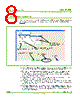
8 / 12 page  UM10206 © Koninklijke Philips Electronics N.V. 2006. All rights reserved. User manual Rev. 01 — 13 June 2006 8 of 12 Philips Semiconductors UM10206 I2C Demonstration Board 2005-1 Quick Start Guide 7. Starting Win-I2CUSB Lite When you have correctly installed the software and the Demonstration Board Hardware is connected and recognized by the computer, start the Win-I2CUSB Lite software (see Figure 4). • When the Demonstration Board hardware is correctly connected to the USB port and the computer recognizes it, the message “Hardware Detected” is displayed. • Switched 3.3 V and 5.0 V power supplies are controlled through the “Options” menu or by double clicking on the 3.3 V or 5.0 V symbols on the lower side of the main window. Power supplies are disabled by default and you must enable them before using the I2C-bus devices on the board. • I2C-bus frequency is controlled through the “Options” menu or by double clicking on the frequency symbol in the lower side of the main window. • I2C-bus devices on the board are controlled using the corresponding control window in the “Device” menu. You can only select I2C-bus devices which are on the board and are highlighted in the menu. • The Expert Mode selected through “Device Universal Modes” allows you to send customized I2C-bus commands to any device on the board. Expert Mode is limited to 8 lines of command in the Lite version of the software. Each line of command can have up to 9 bytes of data. Fig 4. Win-I2CUSB Lite main window Switched power indicators I 2C frequency Device selection (devices not supported in Lite version are dimmed) Access to the Expert Mode that allows writing specific I 2C commands Board Self Test Routine Hardware detection message |
|
|
链接网址 |
| ALLDATASHEET是否为您带来帮助? [ DONATE ] |
关于 Alldatasheet | 广告服务 | 联系我们 | 隐私政策 | 数据表链接 | 链接交换 | 制造商名单 All Rights Reserved©Alldatasheet.com |
| Russian : Alldatasheetru.com | Korean : Alldatasheet.co.kr | Spanish : Alldatasheet.es | French : Alldatasheet.fr | Italian : Alldatasheetit.com Portuguese : Alldatasheetpt.com | Polish : Alldatasheet.pl | Vietnamese : Alldatasheet.vn Indian : Alldatasheet.in | Mexican : Alldatasheet.com.mx | British : Alldatasheet.co.uk | New Zealand : Alldatasheet.co.nz |
|
Family Site : ic2ic.com |
icmetro.com |
 Chinese ▼
 English
 Chinese
 German
 Japanese
 Russian
 Korean
 Spanish
 French
 Italian
 Portuguese
 Polish
 Vietnamese
 Indian
 Mexican
 British
 New Zealand