|
数据搜索系统,热门电子元器件搜索 |
|
|
数据搜索系统,热门电子元器件搜索 |
|
M35046-059FP 数据表(PDF) 9 Page - Mitsubishi Electric Semiconductor |
|
|
|||||||||||||||||||||||||||||
M35046-059FP 数据表(HTML) 9 Page - Mitsubishi Electric Semiconductor |
|
|
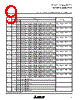
9 / 40 page  MITSUBISHI MICROCOMPUTERS M35046-XXXSP/FP SCREEN CHARACTER and PATTERN DISPLAY CONTROLLERS 9 Blanking is in the display mode specified by BLK0 and BLK1. (Note) Blanking is in the display mode specified by except BLK0 and BLK1. (Note) Blanking is in the display mode specified by BLK0 and BLK1. (Note) Blanking is in the display mode specified by except BLK0 and BLK1. (Note) Blanking is in the display mode specified by BLK0 and BLK1. (Note) Blanking is in the display mode specified by except BLK0 and BLK1. (Note) Blanking is in the display mode specified by BLK0 and BLK1. (Note) Blanking is in the display mode specified by except BLK0 and BLK1. (Note) Blanking is in the display mode specified by BLK0 and BLK1. (Note) Blanking is in the display mode specified by except BLK0 and BLK1. (Note) Blanking is in the display mode specified by BLK0 and BLK1. (Note) Blanking is in the display mode specified by except BLK0 and BLK1. (Note) Blanking is in the display mode specified by BLK0 and BLK1. (Note) Blanking is in the display mode specified by except BLK0 and BLK1. (Note) Blanking is in the display mode specified by BLK0 and BLK1. (Note) Blanking is in the display mode specified by except BLK0 and BLK1. (Note) Blanking is in the display mode specified by BLK0 and BLK1. (Note) Blanking is in the display mode specified by except BLK0 and BLK1. (Note) Blanking is in the display mode specified by BLK0 and BLK1. (Note) Blanking is in the display mode specified by except BLK0 and BLK1. (Note) Blanking is in the display mode specified by BLK0 and BLK1. (Note) Blanking is in the display mode specified by except BLK0 and BLK1. (Note) Blanking is in the display mode specified by BLK0 and BLK1. (Note) Blanking is in the display mode specified by except BLK0 and BLK1. (Note) It should be fixed to “0”. Can not be used. It should be fixed to “0”. Can not be used. Can not be used. It should be fixed to “1”. 0 1 0 1 0 1 0 1 0 1 0 1 0 1 0 1 0 1 0 1 0 1 0 1 0 1 0 1 0 1 (5) Address 12416 0 1 2 3 4 5 6 7 8 9 A B C D E DSP0 DSP1 DSP2 DSP3 DSP4 DSP5 DSP6 DSP7 DSP8 DSP9 DSP10 DSP11 TEST4 TEST5 TEST14 Register DA Status Contents Function Note: Refer to DISPLAY FORM1. Sets the display mode of line 1. Sets the display mode of line 2. Sets the display mode of line 3. Sets the display mode of line 4. Sets the display mode of line 5. Sets the display mode of line 6. Sets the display mode of line 7. Sets the display mode of line 8. Sets the display mode of line 9. Sets the display mode of line 10. Sets the display mode of line 11. Sets the display mode of line 12. Remarks |
|
链接网址 |
| ALLDATASHEET是否为您带来帮助? [ DONATE ] |
关于 Alldatasheet | 广告服务 | 联系我们 | 隐私政策 | 数据表链接 | 链接交换 | 制造商名单 All Rights Reserved©Alldatasheet.com |
| Russian : Alldatasheetru.com | Korean : Alldatasheet.co.kr | Spanish : Alldatasheet.es | French : Alldatasheet.fr | Italian : Alldatasheetit.com Portuguese : Alldatasheetpt.com | Polish : Alldatasheet.pl | Vietnamese : Alldatasheet.vn Indian : Alldatasheet.in | Mexican : Alldatasheet.com.mx | British : Alldatasheet.co.uk | New Zealand : Alldatasheet.co.nz |
|
Family Site : ic2ic.com |
icmetro.com |
 Chinese ▼
 English
 Chinese
 German
 Japanese
 Russian
 Korean
 Spanish
 French
 Italian
 Portuguese
 Polish
 Vietnamese
 Indian
 Mexican
 British
 New Zealand