|
数据搜索系统,热门电子元器件搜索 |
|
|
数据搜索系统,热门电子元器件搜索 |
|
POE576U-4MP-N-R 数据表(PDF) 19 Page - Phihong USA Inc. |
|
|
|||||||||||||||||||||||||||||
POE576U-4MP-N-R 数据表(HTML) 19 Page - Phihong USA Inc. |
|
|
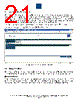
19 / 45 page  Phihong USA Corporation • 47800 Fremont Blvd. Fremont, CA 94538 • Tel: 1.510.445.0100 Fax: 1.510.445.1678 www.phihong.com or www.midspans.com -19- Model Name: This can be found in the upper left corner of the Port Control page. Heartbeat: The Heartbeat is a diagnostic tool to assess the quality of the connection between the midspan and the network. A blinking blue “Communication Okay” will indicate that the midspan is connected to the network and that data is being relayed correctly. Should a fault occur with the connection; the blinking will stop and a solid red “Communication Lost” will appear on the screen. Hostname, IP address, Firmware version and MAC address display: These can be found on the first row of the table located in the middle of the Port Control Page. Menu: The menu on the left side of webpage consists of Port Control and Configuration Settings including: Administrative Management, Network, SNMP, System Tools and Logout. These will be explained in detail later in this manual. Help Info: Located in the lower right hand corner of the screen, users may click the Help Info icon to obtain contact information for technical support. Users may also find support documents and contact information on www.midspans.com and www.phihong.com. Print Tools: To the left of the Help Info icon is the Print Tools icon. Clicking on this icon will print the current webpage. The default printer must be on the same network as the midspan in order to use this function. Phihong webpage: Clicking on any of the Phihong logos will link directly to www.phihong.com, where the detailed information for all Phihong products, including support information and datasheets, can be found. Port Monitoring and Control: At the center of the Port Control webpage, there is a table for the user to monitor and control port status. • Click on the control button “On” in each row, the corresponding port Output-LED will be turned on if connected to a valid load, or it will display “No Connection”. • Click on the control button “Off” in each row, the corresponding port Output-LED will be turned off. • Click on the control button “Cycle” in each row to reset that port, if the corresponding port Output- LED is already on (or No Connection), it will be turned off for several seconds and then turned on again (or No Connection). If the Output-LED is off, it will be turned on (or No Connection). |
|
链接网址 |
| ALLDATASHEET是否为您带来帮助? [ DONATE ] |
关于 Alldatasheet | 广告服务 | 联系我们 | 隐私政策 | 数据表链接 | 链接交换 | 制造商名单 All Rights Reserved©Alldatasheet.com |
| Russian : Alldatasheetru.com | Korean : Alldatasheet.co.kr | Spanish : Alldatasheet.es | French : Alldatasheet.fr | Italian : Alldatasheetit.com Portuguese : Alldatasheetpt.com | Polish : Alldatasheet.pl | Vietnamese : Alldatasheet.vn Indian : Alldatasheet.in | Mexican : Alldatasheet.com.mx | British : Alldatasheet.co.uk | New Zealand : Alldatasheet.co.nz |
|
Family Site : ic2ic.com |
icmetro.com |
 Chinese ▼
 English
 Chinese
 German
 Japanese
 Russian
 Korean
 Spanish
 French
 Italian
 Portuguese
 Polish
 Vietnamese
 Indian
 Mexican
 British
 New Zealand