|
数据搜索系统,热门电子元器件搜索 |
|
|
数据搜索系统,热门电子元器件搜索 |
|
E39-R2 数据表(PDF) 8 Page - Omron Electronics LLC |
|
|
|||||||||||||||||||||||||||||
E39-R2 数据表(HTML) 8 Page - Omron Electronics LLC |
|
|
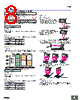
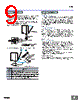
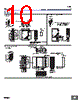
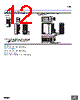
8 / 12 page  E3G 8 Safety Precautions Refer to Warranty and Limitations of Liability. This product is not designed or rated for ensuring safety of persons either directly or indirectly. Do not use it for such purposes. Do not use the product in atmospheres or environments that exceed product ratings. ● Designing Power Supply A power supply with full-wave rectification can be connected to the E3G-MR19(T). ● Wiring The tensile strength of the cable during operation should not exceed the values shown below. ● Adjusting Indicators • The following illustration indicates the operating levels of the E3G. • Set the E3G so that it will work within the stable operation range. ● Designing Power Supply A power supply with full-wave rectification can be connected to the E3G-ML79(T). ● Wiring The tensile strength of the cable during operation should not exceed the values shown below. ● Mounting Mounting • If there is a mirror-like object below the Sensor, the Sensor may not be in stable operation. Therefore, incline the Sensor or keep the Sensor a distance away from the mirror-like object as shown below. • Make sure not to install the Sensor in the incorrect direction. Refer to the following. Install the Sensor as shown in the following if each sensing object greatly differs in color or material. ● Others EEPROM Write Errors If a teaching data error occurs with the operation indicator flashing due to a power failure or static noise, perform the teaching operation of the Sensor again. WARNING Precautions for Correct Use E3G-R/MR Model Tensile strength (torque) E3G-R13 E3G-MR19(T) 50 N max. E3G-R17 10 N max. E3G-L/ML Model Tensile strength (torque) E3G-L73 E3G-ML79(T) 50 N max. E3G-L77 10 N max. ON ON Stable operation range* Stable operation range* Unstable operation range * Operating level Operating level x 0.8 Operating level x 1.2 Stability indicator (green) *If the operating level is set to the stable operation range, the E3G will operate with the highest reliability and without being influenced by temperature change, voltage fluctuation, dust, or setting change. If the operating level cannot be set to the stable operation range, pay close attention to environmental changes while operating the E3G. Operation indicator (orange) L. ON D. ON OFF OFF OFF ON ON Mounting Directions • Make sure that the sensing side of the Sensor is parallel with the surface of each sensing object. Do not incline the Sensor towards the sensing object. If the sensing object has a glossy surface, incline the Sensor by 5 ° to 10° as shown below, provided that the Sensor is not influenced by any background objects. Surface of sensing object Sensing side Glossy object Sensing object Mirror-like object Sensing object Moving direction Moving direction Moving direction Sensing object Sensing object Moving direction Moving direction |
|
|
链接网址 |
| ALLDATASHEET是否为您带来帮助? [ DONATE ] |
关于 Alldatasheet | 广告服务 | 联系我们 | 隐私政策 | 数据表链接 | 链接交换 | 制造商名单 All Rights Reserved©Alldatasheet.com |
| Russian : Alldatasheetru.com | Korean : Alldatasheet.co.kr | Spanish : Alldatasheet.es | French : Alldatasheet.fr | Italian : Alldatasheetit.com Portuguese : Alldatasheetpt.com | Polish : Alldatasheet.pl | Vietnamese : Alldatasheet.vn Indian : Alldatasheet.in | Mexican : Alldatasheet.com.mx | British : Alldatasheet.co.uk | New Zealand : Alldatasheet.co.nz |
|
Family Site : ic2ic.com |
icmetro.com |
 Chinese ▼
 English
 Chinese
 German
 Japanese
 Russian
 Korean
 Spanish
 French
 Italian
 Portuguese
 Polish
 Vietnamese
 Indian
 Mexican
 British
 New Zealand