|
数据搜索系统,热门电子元器件搜索 |
|
|
数据搜索系统,热门电子元器件搜索 |
|
FD-R80 数据表(PDF) 15 Page - List of Unclassifed Manufacturers |
|
|
|||||||||||||||||||||||||||||
FD-R80 数据表(HTML) 15 Page - List of Unclassifed Manufacturers |
|
|
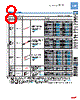
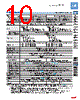
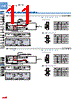
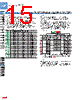
15 / 16 page  137 DigitalFiberSensorFX-100SERIES FIBER SENSORS LASER SENSORS PHOTO- ELECTRIC SENSORS MICRO PHOTO- ELECTRIC SENSORS AREA SENSORS SAFETY COMPONENTS PRESSURE SENSORS INDUCTIVE PROXIMITY SENSORS PARTICULAR USE SENSORS SENSOR OPTIONS WIRE- SAVING SYSTEMS MEASURE- MENT SENSORS STATIC CONTROL DEVICES LASER MARKERS Selection Guide Fiber Sensor Amplifiers FX-300 FX-100 Fibers FT / FD / FR FX-410 FX-311 FX-11A FX-301-F Other Products FIBER SENSORS FX-100 Fiber sensor Ampilifiers Code setting function Settings for “output operation”, “timer”, “emission amount”, “emission frequency”, “ECO”, “external input”, and “shift amount” are possible by selecting codes discretionary. The code setting function makes it possible to set the output operation, timer operation, amount of light emitted, frequency of light emitted, ECO setting, external input, and amount of shift by selecting a code of one’s choice. While in the RUN Mode, pressing and holding both the ON key ( ) and OFF key ( ) simultaneously for 4 seconds will switch to the code setting function. • • • Quick setting function Settings for “output operation”, “light-emitting amount”, “timer”, and “emission frequency” are possible simply by selecting a setting number. The quick setting function makes it possible to set the content of the SET Mode (output operation, timer operation, amount of light emitted, and frequency of light emitted) simply by selecting a setting number. While in the RUN Mode, pressing and holding both the ON key ( ) and OFF key ( ) simultaneously for 2 seconds will switch to the quick setting function. • • • <Table of quick setting numbers> No. Output operation Emission amount setting Timer D-ON OFF non D-ON ON non D-ON OFF ofd 10 ms D-ON ON ofd 10 ms D-ON OFF ofd 40 ms D-ON ON ofd 40 ms D-ON OFF ond 10 ms D-ON ON ond 10 ms D-ON OFF ond 40 ms D-ON ON ond 40 ms L-ON ON ond 40 ms L-ON OFF ond 40 ms L-ON ON ond 10 ms L-ON OFF ond 10 ms L-ON ON ofd 40 ms L-ON OFF ofd 40 ms L-ON ON ofd 10 ms L-ON OFF ofd 10 ms L-ON ON non L-ON OFF non Others Do not use during the initial transient time (0.5 sec.) after the power supply is switched on. EEPROM is adopted to this product. It is not possible to conduct teaching 100 thousand times or more, because of the EEPROM’s lifetime. • • PRECAUTIONS FOR PROPER USE Refer to p.986~ for general precautions, and to the “Operation Guide” or “SUNX website” (http://www.sunx.com) for details pertaining to operating instructions for the amplifier. <Code table> Code 1st digit 2nd digit 3rd digit 4th digit Output operation Timer (Note5) Emission amount setting Emission Frequency ECO Extemal input Shift (Note5) FX-101□ FX-102□ D-on non OFF 01 OFF E_oF 5 % ond 10 ms 12 Limit [+] 10 % ond 40 ms 23 Limit [–] 15 % ofd 10 ms 3 4 Auto 20 % ofd 40 ms ON 0 1 Eco 25 % L-on non 1 2 ON E_oF 30 % ond 10 ms 23 Limit [+] 35 % ond 40 ms 34 Limit [–] 40 % ofd 10 ms Auto 45 % ofd 40 ms Eco 50 % Notes: 1) When the present setting is out of the code setting range, “ ” is shown. When “ ” is selected, the set content of the digit is not changed. 2) The factory setting is “ ”. |
|
|
链接网址 |
| ALLDATASHEET是否为您带来帮助? [ DONATE ] |
关于 Alldatasheet | 广告服务 | 联系我们 | 隐私政策 | 数据表链接 | 链接交换 | 制造商名单 All Rights Reserved©Alldatasheet.com |
| Russian : Alldatasheetru.com | Korean : Alldatasheet.co.kr | Spanish : Alldatasheet.es | French : Alldatasheet.fr | Italian : Alldatasheetit.com Portuguese : Alldatasheetpt.com | Polish : Alldatasheet.pl | Vietnamese : Alldatasheet.vn Indian : Alldatasheet.in | Mexican : Alldatasheet.com.mx | British : Alldatasheet.co.uk | New Zealand : Alldatasheet.co.nz |
|
Family Site : ic2ic.com |
icmetro.com |
 Chinese ▼
 English
 Chinese
 German
 Japanese
 Russian
 Korean
 Spanish
 French
 Italian
 Portuguese
 Polish
 Vietnamese
 Indian
 Mexican
 British
 New Zealand