|
数据搜索系统,热门电子元器件搜索 |
|
|
数据搜索系统,热门电子元器件搜索 |
|
FT-R41W 数据表(PDF) 15 Page - Panasonic Semiconductor |
|
|
|||||||||||||||||||||||||||||
FT-R41W 数据表(HTML) 15 Page - Panasonic Semiconductor |
|
|
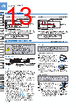
15 / 16 page  181 DigitalFiberSensorFX-410SERIES Selection Guide Fibers Fiber Amplifiers FX-500 FX-100 FX-300 FX-410 FX-311 FX-301-F7/ FX-301-F FIBER SENSORS LASER SENSORS PHOTO- ELECTRIC SENSORS MICRO PHOTO- ELECTRIC SENSORS AREA SENSORS LIGHT CURTAINS / SAFETY COMPONENTS PRESSURE / FLOW SENSORS INDUCTIVE PROXIMITY SENSORS PARTICULAR USE SENSORS SENSOR OPTIONS SIMPLE WIRE-SAVING UNITS WIRE-SAVING SYSTEMS MEASURE- MENT SENSORS STATIC ELECTRICITY PREVENTION DEVICES LASER MARKERS PLC HUMAN MACHINE INTERFACES ENERGY CONSUMPTION VISUALIZATION COMPONENTS FA COMPONENTS MACHINE VISION SYSTEMS UV CURING SYSTEMS Mode table Mode Factory setting Description Response time change mode The response time can be set. Light-emitting amount selection mode (Note 1) The light-emitting amount can be switched among four levels. Timer setting mode Timer settings can be selected; Without timer / OFF-delay timer / ON-delay timer / ONE SHOT timer. Also the timer period can be set. Digital display inversion mode The display on the digital display can be inverted. Eco mode (Note 2) If no key is pressed for 20 sec. approx. while in “RUN” mode, the digital display turns off automatically. Press the setting switch or move the operation mode switch to make the display light up again. The digital display will light up when the threshold value adjuster is turned, but note that this will also cause the threshold value to change. Peak / Bottom hold mode If the setting switch is pressed while “RUN” mode is active, the display will alternate between the peak hold value and the bottom hold value. (The display will refresh every 2 sec.) The display will return to normal if any operation other than threshold value setting is carried out. Notes: 1) This mode is not incorporated in the blue LED type and green LED type. 2) While the peak / bottom hold mode is ON, the digital display is not turned off even if the Eco mode is set to ON. Note: Although the display changes to the indication of ‘SET’ condition 2 sec. after pressing the setting switch, keep pressing the switch. Furthermore, the sensor does not go into the key lock setting from ‘SET’ condition. Key lock function Factory setting Error display indicator readings PRECAUTIONS FOR PROPER USE Refer to p.1458~ for general precautions. <RUN condition> <SET condition> Standard Response time: 500 s or less Response time: 4.5 ms or less Long-range Response time: 150 s or less High-speed Emitting power Hi Emitting power Lo Without timer OFF-delay ON-delay ONE SHOT The timer period can be set within the following ranges: 1 to 10 ms: 1 ms units; 10 to 100 ms: 10 ms units; 100 to 500 ms: 50 ms units 500 to 1000 ms: 100 ms units; 1000 to 3000 ms: 500 ms units Press and hold for 2 seconds or more Note: This mode is not incorporated in the blue LED type and green LED type. Peak / Bottom hold mode (The actual display will be “ ”.) <RUN condition> (Peak value) (Bottom value) <RUN condition> (Note) Emitting intensity selection mode Timer setting mode Digital display inversion mode (Eco mode) Response time change mode <RUN condition> (Set to ON) (Set to OFF) Press and hold for 5 sec. (Note) Display Error description Measures The load has short-circuited and excess current is flowing. Turn off the power, then check the load. Communication error has occurred at time of connection. Check if the mounted amplifiers are in close contact with each other. • Do not use during the initial transient time (0.5 sec.) after the power supply is switched on. • This sensor is suitable for indoor use only. • Do not use this sensor in places having excessive vapor, dust, etc., or where it may come in contact with corrosive gas. • Take care that the sensor does not come in direct contact with oil, grease, organic solvents, such as, thinner etc., or strong acid, and alkaline. • This sensor cannot be used in an environment containing inflammable or explosive gases. • Never disassemble or modify the sensor. • The changes to the settings are written to the EEPROM, but because the EEPROM has a limited service life, you should avoid changing the settings any more than 1 million times. Others • When the setting switch is pressed and hold for 5 sec. while in ‘RUN’ mode, the key lock function can be set / canceled. • When the key lock function is set to ON, even if the threshold value adjuster or the setting switch is operated, “ ” is displayed and the key operation cannot be carried out. • When the setting switch is pressed and held for 10 sec., until “ ” is displayed while in ‘RUN’ mode, the all settings are returned to the factory setting. (For the factory setting, refer to ‘Mode table’ in ‘ Mode selection’.) |
|
|
链接网址 |
| ALLDATASHEET是否为您带来帮助? [ DONATE ] |
关于 Alldatasheet | 广告服务 | 联系我们 | 隐私政策 | 数据表链接 | 链接交换 | 制造商名单 All Rights Reserved©Alldatasheet.com |
| Russian : Alldatasheetru.com | Korean : Alldatasheet.co.kr | Spanish : Alldatasheet.es | French : Alldatasheet.fr | Italian : Alldatasheetit.com Portuguese : Alldatasheetpt.com | Polish : Alldatasheet.pl | Vietnamese : Alldatasheet.vn Indian : Alldatasheet.in | Mexican : Alldatasheet.com.mx | British : Alldatasheet.co.uk | New Zealand : Alldatasheet.co.nz |
|
Family Site : ic2ic.com |
icmetro.com |
 Chinese ▼
 English
 Chinese
 German
 Japanese
 Russian
 Korean
 Spanish
 French
 Italian
 Portuguese
 Polish
 Vietnamese
 Indian
 Mexican
 British
 New Zealand