|
数据搜索系统,热门电子元器件搜索 |
|
|
数据搜索系统,热门电子元器件搜索 |
|
FT-R80 数据表(PDF) 14 Page - List of Unclassifed Manufacturers |
|
|
|||||||||||||||||||||||||||||
FT-R80 数据表(HTML) 14 Page - List of Unclassifed Manufacturers |
|
|
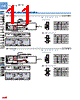
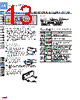
14 / 16 page  Digital Fiber Sensor FX-100 SERIES 136 FIBER SENSORS LASER SENSORS PHOTO- ELECTRIC SENSORS MICRO PHOTO- ELECTRIC SENSORS AREA SENSORS SAFETY COMPONENTS PRESSURE SENSORS INDUCTIVE PROXIMITY SENSORS PARTICULAR USE SENSORS SENSOR OPTIONS WIRE- SAVING SYSTEMS MEASURE- MENT SENSORS STATIC CONTROL DEVICES LASER MARKERS Selection Guide Fiber Sensor Amplifiers FX-300 FX-100 Fibers FT / FD / FR FX-410 FX-311 FX-11A FX-301-F Other Products FIBER SENSORS FX-100 Fiber Sensor Amplifiers PRO mode PRO mode appears after the MODE key is pressed for 4 sec. in RUN mode. • Setting item Factory setting Description Shift setting [Shift amount 15 %] Shift amount can be selected from 0 to 80 % in the limit teaching. Select 0 % when it is desired to set the present incident light intensity as a threshold value. External input setting [Emission halt] Extemal input can be selected from emission halt, limit +, limit -, AUTO, and ECO. Threshold value follow-up cycle setting (Note 1) [OFF] When incident light intensity exceeds threshold value, this mode can change the threshold value with each set cycle depending on variations of the incident light intensity. The follow-up shift amount is same as the one set in the shift setting mode. However, the threshold value is not stored. GETA function setting (Note 2, 3) [OFF] Variations can be reduced by correcting the present incident light intensity in each amplifier to a target value. Target value to offset incident light intensity can be selected from 0 to 2,000 by 100 unit each. For example, if the target value is set to 2,000 when the incident light intensity is 1,500, the incident light intensity becomes 2,000. ECO setting [OFF] It is possible to light up / turn off the digital display. When ECO setting mode is ON, the display turns off in 20 sec. approx. in RUN mode. To light up the display again, press any key for 2 sec. or more. Digital display inversion setting [OFF] Digital display can be inverted. Threshold value margin setting [OFF] Margin for threshold value to the present incident light intensity can be checked. When there is no margin, it is possible to make the digital display blink. : Set to “OFF”: does not function. : Green blinks. : Red blinks. : Red and green blink. Setting copy [NO] The settings of the master side amplifier can be copied to the slave side amplifier. For details, refer to “Setting copy function.” Reset [NO] Returns to default settings (factory settings.) Notes: 1) If the incident light intensity becomes “300” or less, the follow-up operation stops. In that condition, threshold value [digital display (green)] blinks. This function can be used when thru-beam type or retroreflective type fiber is applied to this product. If reflective type fiber is applied, the function cannot be used depending on use conditions. 2) If MODE key is pressed in RUN mode when GETA function is used, the incident light intensity before setting GETA function is displayed on the red digital display for 2 sec. approx. 3) When GETA function is used in saturation of incident light intensity (4,000 or more,) “ ” is indicated on the red digital display. Correction value is up to 4,000. Setting copy function This can copy the settings of the master side amplifier to the slave side amplifier. • Be sure to use the setting copy function between the identical models (Between FX-10□ models or FX-102□ models). This function cannot be used between different models. Only one sensor can be connected on slave side with a master side sensor for the setting copy function. Threshold value, output operation setting, timer operation setting, timer setting, light-emitting amount setting, shift setting, ECO setting, digital display inversion setting, and threshold value margin setting can be copied. • • • <Setting procedures> 1 Set the setting copy mode of the master side amplifier to “Copy sending ON”, and press the MODE key so that “ ” is shown on the digital display and the sensor is in copy ready state. For the setting method, refer to “Operation guide”. 2 Turn off the master side amplifier. 3 Connect the master side amplifier with the slave side amplifier as shown below. 4 Turn on the master side amplifier and the slave side amplifier at the same time. (Note) 5 “ ” is shown on the green digital display of the master side amplifier and 4-digit code is shown on the red digital display of it, then the copying starts. During copy communication, “ ” is shown on the green digital display of the slave side amplifier, and the ongoing copy communication indicator (“ ”“ ”“ ” “ ”) is displayed on the red digital display. 6 When the copying is completed, “ ” is shown on the green digital display of the slave side amplifier, while the 4-digit code (the same code as the master side amplifier) is shown on the red digital display of it. 7 Turn off the power of the master side amplifier and the slave side amplifier and disconnect the wire. If copying the settings to another amplifier repeatedly, follow the steps 3 to 7 . Note: Take care that if the power is not turned on at the same time, the setting contents may not be copied. <To cancel the setting copy mode of the master side amplifier> 1 While the slave side amplifier is disconnected, turn on the power of the master side amplifier. 2 Press the MODE key for 2 sec. approx. * Master side amplifier Slave side amplifier Color code of cable with connector + – 12 to 24V DC ± 10 % (Brown) +V (Black) Input (White) Extemal input (Blue) 0 V (Brown) +V (Black) Input (White) Extemal input (Blue) 0 V PRECAUTIONS FOR PROPER USE Refer to p.986~ for general precautions, and to the “Operation Guide” or “SUNX website” (http://www.sunx.com) for details pertaining to operating instructions for the amplifier. |
|
|
链接网址 |
| ALLDATASHEET是否为您带来帮助? [ DONATE ] |
关于 Alldatasheet | 广告服务 | 联系我们 | 隐私政策 | 数据表链接 | 链接交换 | 制造商名单 All Rights Reserved©Alldatasheet.com |
| Russian : Alldatasheetru.com | Korean : Alldatasheet.co.kr | Spanish : Alldatasheet.es | French : Alldatasheet.fr | Italian : Alldatasheetit.com Portuguese : Alldatasheetpt.com | Polish : Alldatasheet.pl | Vietnamese : Alldatasheet.vn Indian : Alldatasheet.in | Mexican : Alldatasheet.com.mx | British : Alldatasheet.co.uk | New Zealand : Alldatasheet.co.nz |
|
Family Site : ic2ic.com |
icmetro.com |
 Chinese ▼
 English
 Chinese
 German
 Japanese
 Russian
 Korean
 Spanish
 French
 Italian
 Portuguese
 Polish
 Vietnamese
 Indian
 Mexican
 British
 New Zealand