|
数据搜索系统,热门电子元器件搜索 |
|
|
数据搜索系统,热门电子元器件搜索 |
|
E53-R 数据表(PDF) 7 Page - Omron Electronics LLC |
|
|
|||||||||||||||||||||||||||||
E53-R 数据表(HTML) 7 Page - Omron Electronics LLC |
|
|
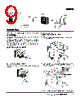
7 / 36 page  Digital Controller E5AK/E5EK 7 Nomenclature E5AK E5EK Operation Indicators A/M Key No. 1 Display No. 2 Display Up Key/Down Key Display Key A/M Key Display Key No. 1 display No. 2 display Operation indicators Up Key/Down Key • OUT1 Lights when the pulse output function assigned to control output 1 turns ON. • OUT2 Lights when the pulse output function assigned to control output 2 turns ON. • SUB1 Lights when the output function assigned to auxiliary output 1 turns ON. • SUB2 Lights when the output function assigned to auxiliary output 2 turns ON. • MANU Lights when the manual operation mode. • STOP Lights during operation has stopped. • RMT Lights during remote operation. • AT Flashes during auto-tuning. • RSP Lights during remote SP opera- tion. • Bar Graph On a standard model (E5AK- AA2), this bar graph indicates the manipulated variable (heat) in 10% increments per single seg- ment. On a position-proportional model (E5AK-PRR2), this bar graph indicates the valve opening in 10% increments per single seg- ment. Press to select the auto operation or manual operation. Press for less than 1 s to shift the display to the next parameter. When this key is pressed for 1 s or more, the menu screen will be displayed in any case. Press to increase or decrease the value on the No.2 display. Displays the set point, manipulated variable, or parameter settings. Displays the process value or pa- rameter symbols. |
|
链接网址 |
| ALLDATASHEET是否为您带来帮助? [ DONATE ] |
关于 Alldatasheet | 广告服务 | 联系我们 | 隐私政策 | 数据表链接 | 链接交换 | 制造商名单 All Rights Reserved©Alldatasheet.com |
| Russian : Alldatasheetru.com | Korean : Alldatasheet.co.kr | Spanish : Alldatasheet.es | French : Alldatasheet.fr | Italian : Alldatasheetit.com Portuguese : Alldatasheetpt.com | Polish : Alldatasheet.pl | Vietnamese : Alldatasheet.vn Indian : Alldatasheet.in | Mexican : Alldatasheet.com.mx | British : Alldatasheet.co.uk | New Zealand : Alldatasheet.co.nz |
|
Family Site : ic2ic.com |
icmetro.com |
 Chinese ▼
 English
 Chinese
 German
 Japanese
 Russian
 Korean
 Spanish
 French
 Italian
 Portuguese
 Polish
 Vietnamese
 Indian
 Mexican
 British
 New Zealand