|
数据搜索系统,热门电子元器件搜索 |
|
|
数据搜索系统,热门电子元器件搜索 |
|
M24LR04E-R 数据表(PDF) 24 Page - STMicroelectronics |
|
|
|||||||||||||||||||||||||||||
M24LR04E-R 数据表(HTML) 24 Page - STMicroelectronics |
|
|
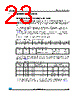
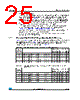
24 / 142 page  System memory area M24LR04E-R 24/142 Doc ID 022208 Rev 5 The M24LR04E-R password protection is organized around a dedicated set of commands, plus a system area of three password blocks where the password values are stored. This system area is described in Table 10. The dedicated commands for protection in RF mode are: ● Write-sector password: The Write-sector password command is used to write a 32-bit block into the password system area. This command must be used to update password values. After the write cycle, the new password value is automatically activated. It is possible to modify a password value after issuing a valid Present-sector password command. On delivery, the three default password values are set to 0000 0000h and are activated. ● Lock-sector: The Lock-sector command is used to set the sector security status byte of the selected sector. Bits b4 to b1 of the sector security status byte are affected by the Lock-sector command. The sector lock bit, b0, is set to 1 automatically. After issuing a Lock-sector command, the protection settings of the selected sector are activated. The protection of a locked block cannot be changed in RF mode. A Lock-sector command sent to a locked sector returns an error code. Table 9. Password control bits b4, b3 Password 00 The sector is not protected by a password. 01 The sector is protected by password 1. 10 The sector is protected by password 2. 11 The sector is protected by password 3. Table 10. Password system area Add 1 Password 1 2 Password 2 3 Password 3 |
|
链接网址 |
| ALLDATASHEET是否为您带来帮助? [ DONATE ] |
关于 Alldatasheet | 广告服务 | 联系我们 | 隐私政策 | 数据表链接 | 链接交换 | 制造商名单 All Rights Reserved©Alldatasheet.com |
| Russian : Alldatasheetru.com | Korean : Alldatasheet.co.kr | Spanish : Alldatasheet.es | French : Alldatasheet.fr | Italian : Alldatasheetit.com Portuguese : Alldatasheetpt.com | Polish : Alldatasheet.pl | Vietnamese : Alldatasheet.vn Indian : Alldatasheet.in | Mexican : Alldatasheet.com.mx | British : Alldatasheet.co.uk | New Zealand : Alldatasheet.co.nz |
|
Family Site : ic2ic.com |
icmetro.com |
 Chinese ▼
 English
 Chinese
 German
 Japanese
 Russian
 Korean
 Spanish
 French
 Italian
 Portuguese
 Polish
 Vietnamese
 Indian
 Mexican
 British
 New Zealand