|
数据搜索系统,热门电子元器件搜索 |
|
|
数据搜索系统,热门电子元器件搜索 |
|
300-R010-45G 数据表(PDF) 22 Page - Magnetrol International, Inc. |
|
|
|||||||||||||||||||||||||||||
300-R010-45G 数据表(HTML) 22 Page - Magnetrol International, Inc. |
|
|
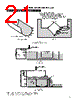
22 / 36 page  I/O Configuration Menu (Fault Relay #1 Setting) Display Keystroke Comment and/or Additional Keystrokes I/O Config Press ENT Enters the Relay Settings menu. to select Relay Settings Press ENT Allows entry into the Select Relay submenu. to select Select Relay Press ENT Allows configuration of relay. to select Select Relay Press ENT Enters a submenu to configure relay #1. 1 Fault Relay (#1) Press ENT Moves the to the bottom line of the LCD. This allows relay #1 to be enabled Disable if it is to be used. Fault Relay (#1) Press Pressing enables the relay. Disable Fault Relay (#1) Press ENT Moves the to the top line of the LCD. Enable Fault Relay (#1) Press Moves to the next item. Enable Relay On Delay Press ENT A one-second delay on the relay is preset from the factory to prevent relay 1 sec or chattering during turbulent process conditions. Press to keep this at one second, or press ENT to change it to a different (0-255 seconds) value. Relay Off Delay Press ENT Press to keep this at one second, or press ENT to change it to a different 1 sec or (0-255 seconds) value. Previous Menu Press ENT Reverts back to the Select Relay submenu. to select 22 SOFTWARE CONFIGURATION cont. This menu is used to configure the relay settings, 4–20 mA output, and communication parameters of the Model 300/301. Refer to pages 13 and 14 for the complete menu layout. The first part of this section shows how to configure each type of relay (fault, alarm, and lead lag). The second part shows how to configure the 4-20 mA and RS-485 out- puts. The I/O Configuration Menu can be entered from the RUN mode by pushing ENT and the pressing twice. I/O CONFIGURATION MENU The 300/301 transmitter can be provided with four relays, two relays, or no relays. The relays can be configured to be fault (diagnostic) relays, alarm relays (controlled by level, vol- ume, or flow), or lead lag (pump control) relays. RELAY SETTINGS Relay #1 is the only relay that can be used as a fault relay to indicate when the diagnostics of the 300/301 have deter- mined that there is a fault condition. There are six fault con- ditions that will change the state of relay #1 when a fault occurs: echo loss, ringdown, transducer fail, no transducer, bad transducer, and temperature fail. See the Troubleshooting section for details on each of these fault conditions. Fault Relay Configuration |
|
链接网址 |
| ALLDATASHEET是否为您带来帮助? [ DONATE ] |
关于 Alldatasheet | 广告服务 | 联系我们 | 隐私政策 | 数据表链接 | 链接交换 | 制造商名单 All Rights Reserved©Alldatasheet.com |
| Russian : Alldatasheetru.com | Korean : Alldatasheet.co.kr | Spanish : Alldatasheet.es | French : Alldatasheet.fr | Italian : Alldatasheetit.com Portuguese : Alldatasheetpt.com | Polish : Alldatasheet.pl | Vietnamese : Alldatasheet.vn Indian : Alldatasheet.in | Mexican : Alldatasheet.com.mx | British : Alldatasheet.co.uk | New Zealand : Alldatasheet.co.nz |
|
Family Site : ic2ic.com |
icmetro.com |
 Chinese ▼
 English
 Chinese
 German
 Japanese
 Russian
 Korean
 Spanish
 French
 Italian
 Portuguese
 Polish
 Vietnamese
 Indian
 Mexican
 British
 New Zealand