|
数据搜索系统,热门电子元器件搜索 |
|
|
数据搜索系统,热门电子元器件搜索 |
|
300-R010-45G 数据表(PDF) 11 Page - Magnetrol International, Inc. |
|
|
|||||||||||||||||||||||||||||
300-R010-45G 数据表(HTML) 11 Page - Magnetrol International, Inc. |
|
|
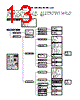
11 / 36 page  KEY FUNCTIONS FOR ENTERING INPUT NOTE: When a line ends with an up or down arrow, that line may be scrolled up or down. When the symbol is displayed on the top line, push ENT to program this selection, or press to proceed to the next selection. When the symbol is displayed on the bottom line, push to change the selection; then push ENT to accept. When the symbol is displayed on the bottom line, enter the value, then push ENT to accept. NOTE: Pressing DEL will back you out of the configuration menu and return you to run mode. NOTE: If a key is not pressed for 5 minutes, the display returns to the run mode. 11 OPERATOR KEYPAD All unit configuration instructions in this manual will appear on the instrument display. The following keys are used: UP arrow: Scroll to the previous menu item. DOWN arrow: Scroll to the next menu item. ENTER: Enter the next menu level or confirm information of the current menu item. DELETE: To exit or back out of the current menu level, or delete an entry. Numeric input of data. Decimal point. For entering tag line data (see page 26). DEL PASSWORD A password protection system restricts access to portions of the menu which affect the unit’s operation and configuration. The password will be requested whenever programming changes are requested in a menu. Once the password is entered in a specific menu, it is not requested again until you exit that menu and go into a different menu to make changes. The password can be changed to any number between 1 and 32767. This procedure is described under the ADV CONFIG menu on page 25. CAUTION: The Model 300/301 is shipped from the fac- tory with the password 300. If the password is misplaced or forgotten, please consult the factory for assistance. ENT 0-9 • GENERAL CONFIGURATION INSTRUCTIONS The Model 300/301 ultrasonic non-contact transmitter con- tains a microprocessor-based operator interface which allows for easy configuration of level, flow, or volume control applications. All calibration parameters for these applications are entered via a keypad located on the front of the trans- mitter. The primary structure of the software is broken down into six main menu groups as follows: Measured Values To view measured values System Config First time configuration (Essential programming data) I/O Config Configure all input/output functions Advanced Config Additional values that affect the performance of the unit Diagnostics Test functions and unit perform- ance data Run mode Normal display. The unit will default to this display after approximately five minutes with- out any key stroke. SOFTWARE CONFIGURATION |
|
链接网址 |
| ALLDATASHEET是否为您带来帮助? [ DONATE ] |
关于 Alldatasheet | 广告服务 | 联系我们 | 隐私政策 | 数据表链接 | 链接交换 | 制造商名单 All Rights Reserved©Alldatasheet.com |
| Russian : Alldatasheetru.com | Korean : Alldatasheet.co.kr | Spanish : Alldatasheet.es | French : Alldatasheet.fr | Italian : Alldatasheetit.com Portuguese : Alldatasheetpt.com | Polish : Alldatasheet.pl | Vietnamese : Alldatasheet.vn Indian : Alldatasheet.in | Mexican : Alldatasheet.com.mx | British : Alldatasheet.co.uk | New Zealand : Alldatasheet.co.nz |
|
Family Site : ic2ic.com |
icmetro.com |
 Chinese ▼
 English
 Chinese
 German
 Japanese
 Russian
 Korean
 Spanish
 French
 Italian
 Portuguese
 Polish
 Vietnamese
 Indian
 Mexican
 British
 New Zealand