|
数据搜索系统,热门电子元器件搜索 |
|
|
数据搜索系统,热门电子元器件搜索 |
|
804-R010-330 数据表(PDF) 15 Page - Magnetrol International, Inc. |
|
|
|||||||||||||||||||||||||||||
804-R010-330 数据表(HTML) 15 Page - Magnetrol International, Inc. |
|
|
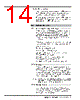
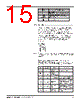
15 / 32 page  50-604 Kotron Model 804 Sentinel II RF Level Transmitter 12 2.5.4 QuickCal The Sentinel II Level Transmitter has a special QuickCal menu for quick and easy calibration. With this menu, entry of a low calibration point and a high calibration point, which correspond to the 4–20 mA span, is possible. The advantage of QuickCal is that it is not necessary to enter the general programming menu to perform basic setup of the unit. Following is the QuickCal menu structure: Run Mode: Warning Password Set LO Point Set HI Point NOTE: If the QuickCal menu is accidentally pressed, depress the ENT key (no other keys) three times when the “warning” message appears. Key Function 0 – 9 For numeric entry of parameters . Decimal point DEL To delete an incorrectly entered character ENT For storing new values into memory I (up/down Used to step through the menu and/or arrow keys) option choices Quick calibration menu Following is a step-by-step procedure for using the QuickCal menu. Before beginning, ensure that level in the tank is at the low level (4 mA). Begin at the RUN mode: Key Current Menu Location Display Comments None Run Magnetrol Intl 0.0 level units This is RUN mode. QuickCal WARNING SETTINGS WILL BE LOST ENT QuickCal Enter Password Enter the system password (factory default is 0804) ENT QuickCal Set LO Point – 0 Move the level in the vessel to desired 4 mA output point. Enter the actual level (default units are in inches) ENT QuickCal Set HI Point – 0 Move the level in the vessel to desired 20 mA output point. Enter the actual level. ENT Run Magnetrol Intl x.x inches x.x will correspond to level in vessel. |
|
链接网址 |
| ALLDATASHEET是否为您带来帮助? [ DONATE ] |
关于 Alldatasheet | 广告服务 | 联系我们 | 隐私政策 | 数据表链接 | 链接交换 | 制造商名单 All Rights Reserved©Alldatasheet.com |
| Russian : Alldatasheetru.com | Korean : Alldatasheet.co.kr | Spanish : Alldatasheet.es | French : Alldatasheet.fr | Italian : Alldatasheetit.com Portuguese : Alldatasheetpt.com | Polish : Alldatasheet.pl | Vietnamese : Alldatasheet.vn Indian : Alldatasheet.in | Mexican : Alldatasheet.com.mx | British : Alldatasheet.co.uk | New Zealand : Alldatasheet.co.nz |
|
Family Site : ic2ic.com |
icmetro.com |
 Chinese ▼
 English
 Chinese
 German
 Japanese
 Russian
 Korean
 Spanish
 French
 Italian
 Portuguese
 Polish
 Vietnamese
 Indian
 Mexican
 British
 New Zealand